The Expanding Universe of Unicode

Before Unicode, digital text lived in a fragmented world of 8-bit encodings. ASCII had settled in as the good-enough-for-English core, taking up the first half of codes, but the other half was a mish-mash of regional code pages that mapped characters differently depending on locale. One set for accented Latin letters, another set for Cyrillic.

Each system carried its own assumptions, collisions, and blind spots. Unicode emerged as a unifying vision. a single character set for all human languages, built on a 16-bit foundation. All developers had to do was swap their 8-bit loops for 16-bit loops. Some bristled that half the bytes were all zeros, but this was for the greater good.

16-bits made 65,536 code points. It was a bold expansion from the cramped quarters of ASCII, a ceremonial leap into linguistic universality. This was enough, it was thought, to encode the entirety of written expression. After all, how many characters could the world possibly need?

“Remember this girls. None of you can be first, but all of you can be next.”

🐹 I absolutely UTF-8 those zero bytes.

It was in this world of 16-bit Unicode that UTF-8 emerged. This had the notable benefit of being compatible with 7-bit ASCII, using the second half of ASCII to encode the non-ASCII side of Unicode as multiple byte sequences.

If your code knew how to work with ASCII it would probably work with UTF-8 without any changes needed. So long as it passed over those multi-byte sequences without attempting to interpret them, you’d be fine. The trade-off was that while ASCII characters only took up one byte, most of Unicode took three bytes, with the letters-with-accents occupying the two-bytes-per-character range.

This wasn’t the hard limit of UTF-8. The initial design allowed for up to 31-bit character codes. Plenty of room for expansion!

🔨 Knocking on UTF-16’s door.

As linguistic diversity, historical scripts, emoji, and symbolic notations clamoured for representation, the Unicode Consortium realised their neat two-byte packages would not be enough and needed to be extended. The world could have moved over to the UTF-8 where there was plenty of room, but too many systems had 16-bit Unicode baked in.

The community that doggedly stuck with ASCII and its 8-bits per character design must have felt a bit smug seeing the rest of the world move to 16-bit Unicode. They stuck with their good-enough-for-English encoding and were rewarded with UTF-8 with its ASCII compatibility and plenty of room for expansion. Meanwhile, those early adopters who made the effort to move to the purity of their fixed size 16-bit encoding were told that their characters weren’t going to be fixed size any more.

This would be the plan to move beyond the 65,536 limit. Two unused blocks of 1024 codes were set aside. If you wanted a character in the original range of 16-bit values, you’d use the 16-bit code as normal, but if you wanted a character from the new extended space, you had to put two 16-bit codes from these blocks together. The first 16-bit code gave you 10 bits (1024=210) and the second 16-bit code you 10 more bits, making 20 bits in total.

(Incidentally, we need two separate blocks to allow for self-synchronization. If we only had one block of 1024 codes, we could not drop into the middle of a stream of 16-bit codes and simply start reading. It is only by having two blocks you know that if the first 16-bit code you read is from the second block, you know to discard that one and continue afresh from the next one.)

The original Unicode was rechristened the “Basic Multilingual Plane” or plane zero, while the 20-bit codes allowed by this new encoding were split into 16 separate “planes” of 65,536 codes each, numbered from 1 to (hexadecimal) 10. UTF-16 with its one million possible codes was born.

UTF-8 was standardized to match UTF-16 limits. Plane zero characters were represented by one, two or three byte sequences as before, but the new extended planes required four byte sequences. The longer byte sequences were still there but cordoned off with a “Here be dragons” sign, their byte patterns declared meaningless.

“Don’t need quarters, don’t need dimes, to call a friend of mine. Don’t need computer or TV to have a real good time.”

🧩 What If We Run Out Again?

Unicode’s architects once believed 64K code points would suffice. Then they expanded to a little over a million. But what if we run out again?

It’s not as far-fetched as it sounds. Scripts evolve. Emoji proliferate. Symbolic domains—mathematical, musical, magical—keep expanding. And if humanity ever starts encoding dreams, gestures, or interspecies diplomacy, we might need more.

Fortunately, UTF-8 is quietly prepared. Recall that its original design allowed for up to 31-bit code points, using up to 7 bytes per character. The technical definition of UTF-8 restricts itself to 21 bits, but the scaffolding for expansion is still there.

On the other hand, UTF-16 was never designed to handle more than a million codes. There’s no large unused range of unused code in plane zero to add more bits. But what if we need more?

For now, we can relax a little because we’re way short. Of the 17 planes, only the first four and last three have any codes allocated to them. Ten planes are unused. Could we pull the same trick with that unused space again?

🧮 An Encoding Scheme for UTF-16X

Let’s say we do decide to extend UTF-16 to 31 bits in order to match UTF-8’s original ceiling. Here’s a proposal:

  • Planes C and D (0xC0000 to 0xDFFFF) are mostly unused, aside from two reserved codes at the end of each.
  • We designate 49152 codes (214+215) from each plane as encoding units. This number is close to √2³¹, making it a natural fit.
  • A Plane C code followed by a Plane D code form a composite: (C×49152+D)
  • This yields over 2.4 billion combinations, which is more than enough to cover the 31-bit space.

This leaves us with these encoding patterns:

  • Basic Unicode is represented by a single 16-bit code.
  • The 16 extended planes by two 16-bit codes.
  • The remaining 31-bit space as two codes from the C and D planes, or four 16-bit codes.

This scheme would require a new decoder logic, but it mirrors the original surrogate pair trick with mathematical grace. It’s a ritual echo, scaled to the future. Code that only knows about the 17 planes will continue to work with this encoding as long as it simply passes the codes along rather than trying to apply any meaning to them, just like UTF-8 does.

🔥 An Encoding and Decoding Example

Let’s say we want to encode a Unicode code point 123456789 using the UTF-16X proposal above.

To encode into a plane C and plane D pair, divide and mod by 49152:

  • Plane C index: C = floor(123456789 / 49152) = 2512
  • Plane D index: D = 123456789 % 49152 = 21381

To get the actual UTF-16 values, add accordingly:

  • Plane C code: 0xC0000 + 2512 = 0xC09C0
  • Plane D code: 0xD0000 + 21381 = 0xD537D

To decode these two UTF-16 codes back, mask off the C and D plane bits to multiply and add the two values:

2512 × 49152 + 21381 = 123456789

🧠 Reader’s Exercise

Try rewriting the encoding and decoding steps above using only bitwise operations. Remember that 49,152 was chosen for its bit pattern and that you can replace multiplication and division with combinations of shifts and additions.

🌌 The Threshold of Plane B

Unicode’s expansion has been deliberate, almost ceremonial. Planes 4 through A remain largely untouched, a leisurely frontier for future scripts, symbols, and ceremonial glyphs. We allocate codes as needed, with time to reflect, revise, and ritualize.

But once Plane B begins to fill—once we cross into 0xB0000—we’ll be standing at a threshold. That’s the moment to decide how, or if, we go beyond?

As I write this, around a third of all possible code-points have been allocated. What will we be thinking that day in the future? Will those last few blocks be enough for what we need? Whatever we choose, it should be deliberate. Not just a technical fix, but a narrative decision. A moment of protocol poetry.

Because encoding isn’t just compression—it’s commitment. And Plane B is where the future begins.

“I could say Bella Bella, even Sehr Wunderbar. Each language only helps me tell you how grand you are.”

Credits
📸 “Dasha in a bun” by Keri Ivy. (Creative Commons)
📸 “Toco Toucan” by Bernard Dupont. (Creative Commons)
📸 “No Public Access” by me.
🤖 Editorial assistance and ceremonial decoding provided by Echoquill, my AI collaborator.

Sixgate Part 1½: Why Not Tunnel Services?

I am grateful to “Lenny S” for making a comment on part two of this series, as it has revealed that I really need to make it clearer exactly what the point of Sixgate is. IPv6-over-IPv4 tunnels have existed for decades but I’m trying to solve a different problem.

(If you’ve no idea what any this is about, maybe start at part one you dingus.)

The Server’s Problem

Technologies like CGNAT have made IPv4 “good enough” for ISPs. Moving to IPv6 would require a whole bunch of new equipment and no-one other than a few nerds are actually asking for it. This has been the status quo for decades and we realistically expect large chunks of the Internet to not be able to receive incoming connections.

As a server operator, I might want to deploy new services on IPv6‑only infrastructure. There’s no good equivalent of CGNAT on the server side and IPv4 addresses are scarce, expensive and require careful planning. I want to stop burning through them just to keep compatibility alive, but I can’t do that while many of my customers are still behind IPv4‑only ISPs.

From the user’s perspective, their internet connection “just works”. They don’t know what IPv4 or IPv6 is and they shouldn’t have to. If they try to connect to my service and it fails, they won’t start thinking they should sign up for a tunnel, they’ll think, quite reasonably, that my website is broken.

Tunnels put the burden on the least‑equipped party: the end‑user.

  • They require sign‑ups, configuration, and sometimes payment.
  • They assume technical knowledge that most customers simply don’t have.
  • They create friction at exactly the wrong place: the moment a customer is deciding whether my service is trustworthy.

Telling a potential customer to “go fix your internet” is not a viable business model.

“Your smile is like a breath of spring. Your voice is soft like summer rain. I cannot compete with you.”

The Sixgate Approach

This is where Sixgate changes the equation. Instead of asking customers to fix their connectivity, make the gateway discoverable through DNS.

  • The SRV record tells the client where the gateway is.
  • The client software (browser, OS, or library) can then use the gateway invisibly.

From the customer’s perspective, nothing changes. They click a link and it works. The SRV lookup adds a moment’s pause, but that’s the price of invisibility. No sign‑ups, no extra services, no confusion.

The SRV record is the keystone of Sixgate’s design. Without it, the bridge collapses into a pile of disconnected ideas. With that SRV record retrieved, the client doesn’t need to sign up for an account or perform a pre-connection ceremony. The remote network has provided the gateway and they want you to be able to connect to them with as little fuss as possible. Everything else rests on that stone. Place it firmly, and the whole arch of compatibility stands.

The Tipping Point

Over time, as more clients can connect to IPv6 servers either natively or through Sixgate, we reach a tipping point. Enough of the world can reach IPv6 that new data centres can seriously consider not deploying IPv4 at all.

That’s the goal. As long as server networks still need IPv4, we’re still going to have the problems of IPv4. If we can work around the ISPs who won’t update their equipment then IPv6 might finally stand on its own.

In Part Two, we’ll explore how Sixgate works under the hood. The SRV lookup, the encapsulation, the stateless routing, and the embedded IPv4 identity that makes it all possible.

Credits
📸 “DSC08463 – El Galeón” by Dennis Jarvis. (Creative Commons)
🤖 With thanks to Echoquill, my robotic assistant, for helping shape this interlude — from the keystone to the tipping point and liberal use of em-dashes.

Sixgate: Technical Overview of the IPv4-to-IPv6 Gateway Mechanism

Last time, we introduced Sixgate as a simple way for IPv4-only clients to automatically reach IPv6-only servers. The idea is to let server operators drop IPv4 entirely — except for a single gateway — while still remaining accessible to legacy clients. It’s a bridge, not a wall.

This post explains how Sixgate works in practice: how clients discover the gateway, how packets are encapsulated, and how responses are routed — all without requiring session state.

This page as published is version 0.1. If I make a substantive edit I will update the version.

🔧 Core Components

Sixgate relies on four key elements:

  1. SRV Records in Reverse DNS Zones
  2. UDP-Based IPv6 Packet Encapsulation
  3. Gateway Forwarding with Embedded IPv4 Identity
  4. Stateless Response Routing

1. Gateway Discovery via SRV Records

When a client receives an IPv6 address from DNS but cannot connect due to lack of IPv6 support, it performs a fallback SRV query to discover a gateway.

SRV Query Format

The query uses the reverse-nibble format of the IPv6 address, similar to ip6.arpa, but requests a service record:

_sixgate._udp.<addr>.ip6.arpa

For example, for IPv6 address 2001:db8::1, the query becomes:

_sixgate._udp.1.0.0.0.0.0.0.0.0.0.0.0.0.0.0.0.8.b.d.0.1.0.0.2.ip6.arpa

The SRV record returns:

  • Target: IPv4-accessible hostname of the gateway. (For example, gw.example.com)
  • Port: The UDP port listening for Sixgate packets on that IPv4 host. (For example, 2820)

The client then performs an A record lookup to resolve the IPv4 address of the gateway.

2. UDP Encapsulation of IPv6 Packets

The client constructs a standard IPv6 packet as if it had native connectivity. It then wraps this packet in a UDP payload and sends it to the gateway’s IPv4 address and designated port.

  • Outer Layer: IPv4 + UDP
  • Payload: Raw IPv6 packet (including headers and data)

This is similar to Teredo’s encapsulation model but reversed in direction and purpose.

3. Gateway Forwarding with Embedded IPv4 Identity

Upon receiving the UDP packet, the gateway:

  • Extracts the IPv6 packet from the payload.
  • Rewrites the source IPv6 address to one of its own — embedding the client’s IPv4 address and UDP port into the lower 48 bits.
  • Forwards the packet to the target IPv6-only server.

This rewriting is necessary because the original client has no routable IPv6 address. By embedding the client’s identity into the source address, the gateway enables stateless response routing and preserves visibility for server-side analysis.

Encoding Format

Assuming the gateway controls a /48 prefix (2001:db8:abcd::/48), it constructs 2001:db8:abcd::xxxx:yyyy:zzzz where:

  • xxxx:yyyy encodes the client’s IPv4 address (192.0.2.1c000:0201)
  • zzzz encodes the client’s UDP port (decimal 28200b04 in hex)

This allows the gateway to reconstruct the client’s IPv4 address and UDP port from the destination address of the server’s response and encapsulate the response to send it back, all without maintaining a session table. The server will see one of the gateway’s unique IPv6 source address and may (if it knows which range of IPv6 addresses belongs to the gateway) extract the embedded IPv4 identity for logging, rate limiting, or application-layer logic.

This stateless design is the default behavior for Sixgate. It simplifies implementation, improves scalability, and ensures that the server can still perform meaningful analysis of client identity.

🧱 Deployment Realities

  • IPv4 Address Requirement: Each IPv6-only cluster must maintain a single IPv4 address for the gateway. This is far lighter than full dual-stack hosting.
  • DNS Availability: DNS must remain reachable over IPv4 to resolve both the original AAAA record and the SRV fallback.
  • Firewall Traversal: Clients must be able to send outbound UDP packets to arbitrary destinations and receive UDP responses from the gateway.

🧪 Prototype and Standardization

Sixgate can be prototyped as:

  • A browser extension or OS-level library
  • A reference gateway daemon
  • An experimental IETF draft defining SRV usage and encapsulation format

🌉 Summary

Sixgate offers a practical, decentralized way to let IPv6 stand alone — without leaving anyone behind. By shifting compatibility to the edge and leveraging DNS for discovery, it enables graceful IPv6-only deployments while preserving access for legacy clients.

If you’re interested in implementing or extending Sixgate, I’d love to collaborate. Let’s build the bridge and let IPv6 finally stand on its own.

Coming soon: We’ll explore Sixgate’s security considerations — including abuse prevention, spoofing risks, and how gateway operators can balance openness with protection. If Sixgate is to be deployed in the wild, it must be safe as well as simple.

Credits
🦉 Written and published by me, Bill P. Godfrey.
✍️ Editorial assistance from Echoquill, my robotic assistant.

Sixgate – IPv6 Without Leaving Anyone Behind

The internet is slowly, stubbornly moving toward IPv6. Server operators are increasingly comfortable deploying services on IPv6-only infrastructure, but there’s a catch. Many clients still live in IPv4-only environments, especially those served by legacy ISPs or locked into older hardware. This creates a frustrating asymmetry. Any website going IPv6-only will risk cutting off a portion of their audience.

We’ve been here before. Windows XP did not support SNI and website operators had to dedicate a full IPv4 address to each secure domain. Until XP faded out, many sites avoided HTTPS entirely. IPv6 faces a similar hesitation. Operators won’t go IPv6-only while legacy clients remain stranded.

IPv6 was meant to free us from the confines of IPv4, yet ISPs happy to maintain the status quo are holding everyone back.

Sixgate is a proposal to change that.

Before we dig deeper, I am painfully aware that the idea seems a little obvious. I can’t help the feeling that this must have been thought of already but there’s some problem which is why I can’t find any discussion of it. Maybe I am the first to think of this. I humbly await comments telling me exactly how wrong I am.

🌉 What Is Sixgate?

Sixgate is a lightweight mechanism that allows IPv4-only clients to reach IPv6-only servers without requiring IPv4 infrastructure. It works by letting clients automatically discover and use a gateway operated by the server network to tunnel IPv6 packets over IPv4.

Here’s how Sixgate bridges the gap:

  1. The client attempts to connect to a website and receives only an IPv6 address from DNS. The client knows that it cannot connect, either due to a missing IPv6 configuration or a previously failed attempt.
  2. The client performs a second DNS query, asking for a special SRV record associated with the IPv6 address, published in the same zone as reverse DNS for that IP address.
  3. The SRV record returns an IPv4-accessible gateway, operated by the website’s network.
  4. The client wraps its IPv6 packet in a UDP envelope and sends it to the gateway.
  5. The gateway unwraps the packet, rewrites the source address to its own IPv6 identity and forwards it to the server.
  6. Responses follow the same path in reverse, allowing the IPv4-only client to communicate seamlessly with the IPv6-only service.

🛠 Practical Realities

Even an IPv6-only cluster will need a single IPv4 address to operate the gateway. That’s a small concession. Far less costly than maintaining IPv4 across all services. The gateway becomes a focused point of compatibility, not a sprawling legacy burden. The gateway itself need not be part of the server farm it supports, but should be close to the same network path that normal IPv6 traffic takes.

Additionally, DNS itself must remain reachable over IPv4, at least for the foreseeable future. Clients need to resolve both the original IPv6 address and the SRV record for the gateway. Fortunately, DNS infrastructure is already deeply entrenched in IPv4, and this proposal doesn’t require any changes to that foundation.

“Ulysses, Ulysses, soaring through all the galaxies. In search of Earth, flying into the night.”

🚀 Why Sixgate Matters

The beauty of Sixgate is that it shifts the burden away from ISPs and toward software. Updating an operating system or browser to support this fall-back logic is vastly easier than convincing hundreds of ISPs to overhaul their networks. Software updates can be rolled out in weeks. ISP transitions take years — sometimes decades.

By giving server operators a graceful way to drop IPv4, we accelerate the transition without leaving legacy clients behind. It’s a bridge, not a wall.

🔭 What Comes Next?

This is a sketch — but it’s one that could be prototyped quickly. A browser extension, a client library, or even a reference implementation could demonstrate its viability. From there, it could be standardized, adopted, and quietly become part of the internet’s connective tissue.

If you’re a server operator dreaming of an IPv6-only future, this might be your missing piece. And if you’re a protocol designer or systems thinker, I’d love to hear your thoughts.

Let’s build the bridge — and let IPv6 finally stand on its own.

Part 1½. Answering the question of why we need this when IPv6-over-IPv4 tunnel services already exist. (Added after I had already written part 2.)

Part Two. For those curious about how Sixgate works under the hood — from SRV record discovery to stateless response routing.

Credits:
📸 “Snow Scot” by Peeja. (With permission.)
🤖 Microsoft Copilot for rubber-ducking and help refining my text.

Rufus – An Adventure in Downloading

I needed to make a bootable USB. Simple task, right? My aging Windows 10 machine couldn’t upgrade to 11 and Ubuntu seemed like the obvious next step.

Downloading Rufus, the tiny tool everyone recommends, turned out to be less of a utility and more of a trust exercise. Between misleading ads, ambiguous signatures and the creeping dread of running an EXE as administrator, I found myself wondering how something so basic became so fraught?

Click Here to regret everything…

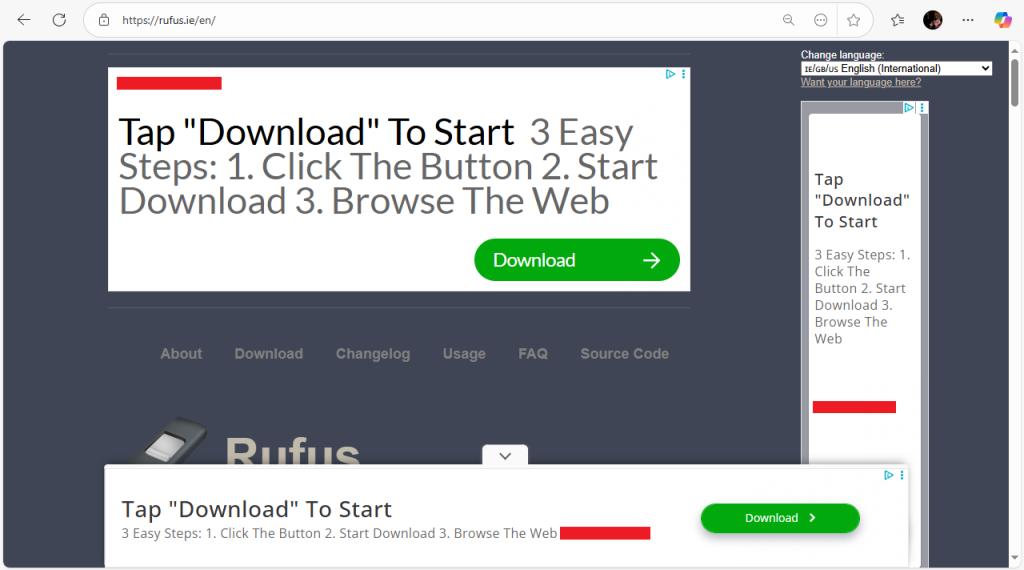
Here’s what I saw when I browsed to rufus.ie:

“Her weapons were her crystal eyes, making every man mad.”

I’ve redacted the name of the product being advertised. This isn’t really about them and they may very well be legitimate advertisers. Point is, I have no idea if they’re dodgy or not. I’m here to download the Rufus app thanks very much. I’m fortunate enough to have been around long enough to recognise an ad but I wonder how someone else who might be following instructions to “Download Rufus from rufus.ie” would cope.

Wading through the ads, I found the link that probably had the EXE I actually wanted. Hovering my pointer over the link had a reasonable looking URL. I clicked…

“She’s got it! Yeah baby, she’s got it!”

At some point during my clicking around, two EXEs were deposited in my “Downloads” folder. It looked like the same EXE but one had “(1)” on the end, so I had probably downloaded it twice. I right-clicked the file and looked for the expected digital signature: Akeo Consulting.

Even now, am I quite certain that this “Akeo Consulting” is the right one? Could one of those dodgy-looking advertisers formed their own company that’s also called Akeo Consulting but in a different place, in order to get a legitimate digital signature onto their own EXE? And this is an executable I’d need to run as administrator, with no restrictions.

At the end of the day, I am complaining about something someone is doing for free. I can already hear the comments that I’m “free to build my own”. I know how much it costs to run a website, especially one that’s probably experiencing a sudden spike in traffic while people find they need to move from Windows 10.

I’m not blaming this project, I’m blaming society. If the Rufus Project had to choose between accepting advertiser money to keep the lights on or shutting down, I’m not going to tell them they should have chosen the latter option. But if this is where we are as a society, we’ve made a mistake along the way.

Credits:
🔨 The Rufus Project, for their (at the end of the day) very useful app.
🤖 Microsoft Copilot for spelling/grammar checking, reviews and rubber-ducking.

Dear string-to-integer parsers…

These are very useful functions that any language with distinct string and integer types will include in their standard library. Pass in a string with decimal digits and it’ll return the equivalent in the binary integer form that you can do mathematics with.

I’d like to make a modest proposal that I’d find very useful, and maybe you, dear reader, would too.

“The rich man in his castle, the poor man at his gate. He made them, high or lowly, and ordered their estate.”

Who me?

Specifically, I’m thinking of parser functions that work like this…

ParseInt("123");      // 123.
ParseInt("-456");     // -456.
ParseInt("Rutabaga"); // Rejected.

Note that by “rejected”, it could mean anything in practice as long as the response is distinct from returning a number. Maybe it throws an exception, maybe it returns null, maybe it also returns a Boolean to tell you if the string value was valid or not.

Point is, I’m thinking of parser functions that have two distinct kinds of result. A success result that includes the integer value, or a rejection result. No half-way results.

I will acknowledge that there are standard library functions that will keep going along the string gobbling digits, until it hits a non-digit and the response tells the caller what number it found and where that first non-digit is. Those are very useful for tokenizing loops as part of compilers, but my idea would break that interface too much. If that’s your variety of parser, sorry, but this post isn’t for you.

Also, I’m thinking of functions that parse as decimal. Maybe you have optional flags that allow you to specify what base to use, but it parses as decimal by default. I’m concerned only with the decimal mode of operation.

Round Numbers and “E” Notation

You might be familiar with “E” notation if you work with very large or very small floating point numbers. This is a shorthand for scientific notation where the letter E translates to “times ten to the power of”.

FloatParse("1E3");    // 1000.0
FloatParse("5E-3");   // 0.005
FloatParse("1E+100"); // One Googol.

This notation is handy for decimal round numbers. If you want to type in a billion, instead of having to count as you press the zero key on your keyboard over and over, you could instead type “1E9”. Which one of the following numbers is a billion? Can you tell at a glance?

100000000 10000000000 1000000000

The problem is that E notation is stuck in the floating-point world. I’d really like it if anywhere I could type an integer (such as in an electronic form) and I want to type a large round number, I could use E notation instead.

For that to work, the functions that convert strings to integers need to allow this.

Pinning it down

Okay, we’re all software engineers here. Let’s talk specifics.

If the string supplied to the function is of the form (mantissa)"E"(exponent), with the mantissa in the range 1-9 and the exponent from zero to however high your integer type gets, then instead of rejecting the string, return the integer value this E notation string represents.

Add the usual range checks (for example, 9E18 for a signed 64-bit integer) and do the right thing when there’s a minus sign character at the start and we’re done.

“But there might be code depending on values like that being rejected!”

That’s a fair concern. I am advocating for a change in behaviour in the standard library after all.

I am seeking only to change behaviour in the domain of inputs that would otherwise produce a rejection response.

If IntParse("1E3") used to return a rejection, but now it returns 1000, is that a bad thing? The user can already type "1000" but this time they wrote "1E3" instead. What’s the harm in carrying on as if they typed 1000 all along?

I can think of some pathological cases. Maybe the programmer wanted to limit an input to 1000, but instead of using the less-than operator on the integer like a normal person, they check that the length of the string less than 4. "1E9" would pass validation but a billion would be returned. It seems unlikely that anyone would do that in practice.

The parser function might be used not to actually use the integer returned, but instead act as a validator. You have a string and you want to know if the string is a valid sequence of decimal digits or not. If that’s what you need, the integer-parser is maybe the wrong tool for that. Parsers will already be a little flexible about the range of allowable inputs, allowing leading plusses or zero digits and commas grouping digits into triples. If you care that a string is actually the one canonical ASCII representation of a number or not, then I would follow the parse with a test converting the integer back into a string and checking it matches the input string.

“E might be a hex digit.”

Your function returns the number 7696 for the input "1E10" and not ten billion? What you’ve got there is a hex parser, not a decimal parser. E notation only make sense in the world of decimal numbers.

If your decimal parser automatically switches to hex parsing if it sees ‘A’ to ‘F’ characters, then you’ve got a parser that’s unreliable for hex number strings. A lot of hex numbers contain only the ‘0’ to ‘9’ digits. If my code gets a hex number as input, I’m going to call the hex parser. Some supposed general purpose parser isn’t going to know if "1000" should return 1000, 4096 or 8 and will need to be told.

While we’re on the subject of hex numbers, I may be following this up with a proposal that “H” should mean “times 16 to the power of” in a similar style, but that’ll be for another day.

 “Delores, I live in fear. My love for you is so overpowering. I’m afraid that I will disappear.”

“Because counting to nine is really hard”

So there’s my suggestion. In short, I’m fed up of having to count to nine when I want to type a billion and having to check by counting the little row of identical ovals on the screen. I look forward to comments telling me how wrong I am.

Picture Credits
📸 “Swift” by Tristan Ferne. (Creative Commons.)
📸 “Kibo Summit, Mount Kilimanjaro, Tanzania” by Ray in Manila. (Creative Commons.)

(Also, a billion is a one followed by nine zeros. Anyone who says it has twelve zeros is quite wrong.)

What type of UUID should I use?

UUIDs, Universally Unique IDs, are handy 128 bit IDs. Their values are unique, universally, hence the name.

(If you work with Microsoft, you call them GUIDs. I do primarily think of them as GUIDs, but I’m going to stick with calling them UUIDs for this article, as I think that name is more common.)

These are useful for IDs. Thanks to their universal uniqueness, you could have a distributed set of machines, each producing their own IDs, without any co-ordination necessary, even completely disconnected from each other, without worrying about any of those IDs colliding.

When you look at a UUID value, it will usually be expressed in hex and (because reasons) in hyphen-separated groups of 8-4-4-4-12 digits.

7

You can tell which type of UUID it is by looking at the highlighted digit, the first of the middle of the four-digit blocks. That digit always tells you which type of UUID you’re looking at. This one is a type 7 because that hex-digit is a 7. If it was a 4 it would be a type 4.

As I write this, there are 8 types to chose from. But which type should you use? Type 7. Use type 7. If that’s all you came for, you can stop here. You ain’t going to need the others.

Type 7 – The one you actually want.

This type of UUID was designed for assigning IDs to records on database tables.

The main thing about type 7 is that the first block of bits are a time stamp. Since time always goes forward [citation needed] and the timestamp is right at the front, each UUID you generate will have a bigger value than the last one.

This is important for databases, as they are optimized for “ordered” IDs like this. To oversimplify it, each database table has an index tracking each record by its ID, allowing any particular record to be located quickly by flipping through the book until you get close to the one you wanted. The simplest place to add a new ID is to add it on the end and you can only do that if your new ID comes after all the previous ones. Adding a new record anywhere else will require that index to be reorganised to make space for that new one in the middle.

(You often see UUIDs criticised for being random and unordered, but that’s type 4. Don’t use type 4.)

The timestamp is 48 bits long and counts the number of milliseconds since the year 1970. This means we’re good until shortly after the year 10,000. Other than the 6 bits which are always fixed, the remaining 74 bits are randomness which is there so all the UUIDs created in the same millisecond will be different. (Except it is a little more complicated than that. Read the RFC.)

So there we are. Type 7 UUIDs rule, all other types drool. We done?

“I was born in a flame. Mama said that everyone would know my name. I’m the best you’ve ever had. If you think I’m burning out, I never am.”

Migrating from auto-incrementing IDs.

Suppose you have an established table with a 32-bit auto-incrementing integer primary key. You want to migrate to type 7 UUIDs but you still need to keep the old IDs working. A user might come along with a legacy integer ID and you still want to allow that request to keep working as it did before.

You could create a bulk of new type 7 UUIDs and build a new table that maps the legacy integer IDs to their new UUID. If that works for you, that’s great, but we can do without that table with a little bit of cleverness.

Let’s think about our requirements:

  1. We want to deterministically convert a legacy ID into its UUID.
  2. These UUIDs are in the same order as the original legacy IDs.
  3. New record’s UUIDs come after all the UUIDs for legacy records.
  4. We maintain the “universally unique”-ness of the IDs.

This is where we introduce type 8 UUIDs. The only rule of this type is that there are no rules. (Except they still have to be 128 bits and six of those bits must have fixed values. Okay, there are a few rules.) It is up to you how you construct this type of UUID.

Given our requirements, let’s sketch out how we want to layout the bits of these IDs.

The type 7 UUIDs all start with a 01 byte, until 2039 when they will start 02. They won’t ever start with a 00 byte. So to ensure these IDs are always before any new IDs, we’ll make the first four hex digits all zeros. The legacy 32-bit integer ID can be the next four bytes.

Because we want the UUIDs we create to be both deterministic and universally-unique, the remaining bits need to look random but not actually be random. Running a hash function over the ID and a fixed salt string will produce enough bits to fill in the remaining bits.

Now, to convert a legacy 32-bit ID into its equivalent UUID, we do the following:

  1. Start an array of bytes with two zero bytes.
  2. Append the four bytes of legacy ID, most significant byte first.
  3. Find the SHA of (“salt” + legacy ID) and append the first 10 bytes of the hash to the array.
  4. Overwrite the six fixed bits (in the hash area) to their required values.
  5. Put the 16 bytes you’ve collected into a UUID type.

And there we have it. When a user arrives with a legacy ID, we can deterministically turn it into its UUID without needing a mapping table or conversion service. Because of the initial zero bytes, these UUIDs will always come before the new type 7 UUIDs. Because the legacy ID bytes come next, the new UUIDs will maintain the same order as the legacy IDs. Because 74 bits come from a hash function with a salt as part of its input, universal-uniqueness is maintained.

What’s that? You need deterministic UUIDs but it isn’t as simple as dropping the bytes into place?

“You once thought of me as a white knight on his steed. Now you know how happy I can be.”

Deterministic UUIDs – Types 3 and 5.

These two types of UUID are the official deterministic types. If you have (say) a URL and you want to produce a UUID that represents that URL, these UUID types will do it. As long as you’re consistent with capital letters and character encoding, the same URL will always produce the same UUID.

The down-side of these types is that the UUID values don’t even try to be ordered, which is why I wrote the discussion of type 8 first. If the ordering of IDs is important, such as using them as primary keys, maybe think about doing it a different way.

Generation of these UUIDs work by hashing together a “namespace” UUID and the string you want to convert into a UUID. The hash algorithm is MD5 for type 3 or SHA1 for type 5. (In the case of SHA1, everything after the first 128 bits of hash are discarded.)

To use these UUIDs, suppose a user makes a request with a string value, you can turn that string into a deterministic UUID by running it through the generator function. That function will have two parameters, a namespace UUID (which could be a standard namespace or one you’ve invented) and the string to convert. That function will run the hash function over the input and return the result as a UUID.

These UUID types do the job they’re designed to do. Just as long as you’re okay with the values not being ordered.

Type 3 (MD5) or Type 5 (SHA1)?

There are pros and cons to each one.

MD5 is faster than SHA1. If you’re producing them in bulk, that may be a consideration.

MD5 is known to be vulnerable to collisions. If you have (say) a URL that hashes to a particular type 3 UUID, someone could construct a different URL that hashes to the same UUID. Is that a problem? If you’re the only one building these URLs that get hashed, then a hypothetical doer of evil isn’t going to get to have their bad URL injected in.

Remember, the point of a UUID is to be an ID, not something that security should be depending upon. Even the type 5 UUID throws away a big chunk of the bits produced, leaving only 122 bits behind.

If you want to hash something for security, use SHA256 or SHA3 and keep all the bits. Don’t use UUID as a convenient hashing function. That’s not what its for!

On balance, I would pick type 5. While type 3 is faster, the difference is trivial unless you’re producing IDs in bulk. You might think that MD5 collisions are impossible with the range of inputs you’re working with, but are you quite sure?

“I’ve seen this thing before, in my best friend and the boy next door. Fool for love and fool on fire.”

Type 4 – The elephant in the room

A type 4 UUID is one generated from 122 bits of cryptographic quality randomness. Almost all UUIDs you see out there will be of this type.

Don’t use these any more. Use type 7. If you’re the developer of a library that generates type 4 UUIDs, please switch it to generating type 7s instead.

Seriously, I looked for practical use cases for type 4 UUIDs. Everything I could come up was either better served by type 7, or both types came out as the same. I could not come up with a use-case where type 4 was actually better. (Please leave a comment if you have one.)

Except I did think of a couple of use-cases, but even then, you still don’t want to use type 4 UUIDs.

Don’t use UUIDs as secure tokens.

You shouldn’t use UUIDs as security tokens. They are designed to be IDs. If you want a security token, you almost certainly have a library that will produce them for you. The library that produces type 4 UUIDs uses one internally.

When you generate a type 4 UUID, six bits of randomness are thrown away in order to make it a valid UUID. It takes up the space of a 128 bit token but only has 122 bits of randomness.

Also, you’re stuck with those 122 bits. If you want more, you’d have to start joining them together. And you should want more – 256 bits is a common standard length for a reason.

But most of all, there’s a risk that whoever wrote the library that generates your UUIDs will read this article and push out a new version that generates type 7 UUIDs instead. Those do an even worse at being security tokens.

I’m sure they’d mention it in that library’s release notes but are you going to remember this detail? You just want to update this one library because a dependency needs the new version. You tested the new version and it all works fine but suddenly your service is producing really insecure tokens.

Maybe the developers of UUID libraries wouldn’t do that, precisely because of the possibility of misuse, but that’s even more reason to not use UUIDs as security tokens. We’re holding back progress!

In Conclusion…

Use type 7 UUIDs.

“Only to find the night-watchman, unaware of his presence in the building.”

Picture Credits.
📸 “Night Ranger…” by Doug Bowman. (Creative Commons)
📸 “Cat” by Adrian Scottow. (Creative Commons)
📸 “Cat-36” by Lynn Chan. (Creative Commons)
📸 “A random landscape on a random day” by Ivo Haerma (Creative Commons)
📸 “Elena” by my anonymous wife. (With Permission)

I want a less powerful programming language for Christmas.

I’m writing this because I’m hoping someone will respond, telling me that what I want already exists. I have a specific itch and my suspicion is that developing a whole programming language and runtime is the only way to scratch that itch.

Please tell me I’m wrong.

Dear Father Christmas…

If you’ve ever written a web service, you’ve almost certainly had situations where you’ve taken a bunch of bytes from a completely untrusted stranger and passed those bytes into a JSON parser. What’s more you’ll have done that without validating the bytes first.

Processing your inputs without sanitizing it first? Has Bobby Tables taught us nothing?

You can do this safely because that JSON parser will have been designed to be used in this manner and will be safe in the face of hostile inputs. If you did try feeding the bytes of an EXE file into a JSON parser, it’ll very quickly reject it complaining that “MZ” isn’t an opening brace and refuse to continue beyond that. The worst a hostile user could do is put rude messages inside the JSON strings.

{ "You": "A complete \uD83D\uDC18 head!" }

Now take that idea and think about what if you did have a web service where completely unauthenticated users could use any request body they liked and your service would run that request body in a copy of Python as the program source code.

Hopefully, you’ve just now remarked that it would be a very bad idea, up there with Napoleon’s idea to make his brother the King of Spain. But that’s exactly what I want to do. I want to write a web service that accepts Python code from complete strangers and actually run that code.

(And also make my brother the King of Spain. He’d be great!)

“Hang on to your hopes, my friend. That’s an easy thing to say. But if your hopes should pass away, simply pretend that you can build them again.”

At the gates of dawn

Some time in the early 90s, I had a game called “C Robots”.

This is a game where four tanks are in an arena, driving around and firing missiles at each other. But instead of humans controlling those tanks, each tank was controlled by a program written by the human player. The game controller would keep track of each tank and any missiles in flight, passing back control to each tank’s controller program to let it decide what its next move will be.

For 90s me, programming a robot appealed to me but the tank battle part did not appeal so much. I really wanted to make a robot to play other games that might not involve tanks. At the time, there were two games I enjoyed playing with school friends, Dots-and-Boxes and Rummy. I had an idea of what made good strategies for these specific games, so I thought building those strategies into code might make for a good intellectual exercise.

Decades passed and I built a simple game controller system which I (rather pompously) called “Tourk“. I had made a start on the controllers for a handful of games but I hadn’t gotten around to actually writing actual competitive players, only simple random ones that were good for testing. I imagined that before long, people would write their own players, send them in to me and I’d compile them all together. After I’d let it ran for a million games in a tournament I’d announce the winner.

If anyone had actually written a player and sent it in, my first step would have been to inspect the submitted code thoroughly. These would have been actual C programs and could have done anything a C program could do, including dropping viruses on my hard disk, so inspecting that code would have been very important. Looking back, I’m glad no-one actually did that.

But this was one thing C Robots got right, even if it wasn’t planned that way. Once it compiled the player’s C code, it would run that code in a restricted runtime. Your player code could never go outside its bounds because there’s no instructions in the C Robots runtime to do that. This meant that no-one could use this as an attack vector. (But don’t quote me on that. I’ve not actually audited the code.)

“I never ever ask where do you go. I never ever ask what do you do. I never ever ask what’s in your mind. I never ever ask if you’ll be mine.”

Will the runtime do it?

Could maybe the dot-net runtime or the Python runtime have the answer?

This was one of the first questions I asked on the (then) new Stack Overflow. The answer sent me to Microsoft’s page on “Code Access Security” and if you follow that link now, it says this feature is no longer supported.

Wondering more recently if Python might have an option to do what I wanted, I asked on Hacker News if there was a way to run Python in the way I wanted. There were a few comments but it didn’t get enough up-votes and disappeared fairly quickly. What little discussion we had was more to do with a side issue than the actual question I was asking.

I do feel that the answer might still be here. There’s quite possibly some flag on the runtime that will make any call to an extern function impossible. The Python runtime without the “os” package would seem to get 90% of the way there, but I don’t know enough about it to be certain enough that this won’t have left any holes open.

“We’re all someone’s daughter. We’re all someone’s son.”

Sanitize Your inputs?

Maybe I should listen to Bobby Tables and sanitize my inputs before running them.

Keep the unrestricted runtime, but before we invoke it to run the potentially hostile code, scan it to check it won’t do any bad things.

Simple arithmetic in a loop? That’s fine.
Running a remote access trojan? No.

Once it has passed the test, you should be able to allow the code to run, confident it won’t do anything bad because you’ve already checked it won’t. This approach appeals to me because once that initial test has passed the code for non-hostility, we can allow the runtime to go at full speed.

The problem with this approach are all the edge cases and finding that line between simple arithmetic and remote-access-trojans. You need to allow enough for the actually-not-hostile code to do useful things, but not enough that a hostile user could exploit.

Joining strings together is fine but passing that string into eval is not.
Writing text to stdout is fine but writing into a network socket is not.

Finding that line is going to be difficult. The best approach would be to start with nothing-is-allowed, but when considering what to add, first investigate what would be possible by adding that facility to allowed list. Because it can be used for bad things, eval would never be on that allowed list.

If there’s a function with a million useful things it can do but one bad thing, that function must never be allowed.

“We can go where we want to. A place they’ll never find. We can act like we come from out of this world and leave the real one far behind.”

Ask the Operating System?

I told a colleague about this post while I was still writing it and he mentioned that operating systems can have restrictions placed on programs it runs. He showed me his Mac and there was a utility that listed all the apps he was running and all the permissions it had. It reminded me that my Android phone does something similar. If any apps wants to interact with anything outside its realm, it has to ask first. This is why I’m happy to install apps on my Android phone but not on my Windows laptop.

This would be great, but how do I, a numpty developer, harness this power? What do I do if I want to launch a process (such as the Python runtime) but with all the permissions turned off? It feels like this will be the solution but my searching isn’t coming up with a practical answer.

My hope is that there’s a code library whose job it is to launch processes in this super restricted mode. It’ll work out which OS it is running on, do the necessary magic OS calls and finally launch the process in that super-restricted mode.

“If I was an astronaut I’d be floating in mid air. A broken heart would just belong to someone else down there. I would be the centre of my lonely universe. I’m only human and I’m crashing in the dark.”

Mmmm coffee!

The good people developing web browsers back in the 90s had the same need as me. They wanting to add a little interactivity to web pages, but without having to wait for a round trip back to the server over dialup, so they came up with a language they named JS.

As you read this page, your browser is running some code I supplied to you. That code can’t open up your files on your local device. If anyone did actually find a way to do that, the browser developers would call that a serious bug and push out an emergency update. So could JS be the solution I’m looking for?

As much as it sounds perfect, that JS runtime is inside the browser. If I have some JS code in my server process, how do I get that code into a browser process? Can I even run a web browser on a server without some sort of desktop environment?

The only project I know of where someone has taken JS outside of a browser is node-js. That might be the answer but I have written programs using node-js that load and save files. If this is the answer then I’d need to know how to configure the runtime to run the way I want.

“Play the game, fight the fight, but what’s the point on a beautiful night? Arm in arm, hand in hand. We all stand together.”

Is there an answer?

I began this post expressing my suspicion that the solution is to write my own runtime, designed from first-principles to run in a default-deny mode. I still wonder if that’s the case. I hope someone will read this post and maybe comment with the unknown option on the Python runtime that does exactly what I want.

In the meantime, I have another post in the works as with my thoughts on how this runtime and programming language could work. I hope I can skip it.

Gronda-Gronda.

Picture Credits
📸 “Snow Scot” by Peeja. (With permission.)
📸 “Meeting a Robot” by my anonymous wife. (With permission)
📸 “Great Dane floppy ears” by Sheila Sund. (Creative Commons)
📸 “Fun with cling film” by Elizabeth Gomm. (Creative Commons)
📸 “Rutabaga Ball 2” by Terrence McNally. (Creative Commons)
📸 “Nice day for blowing the cobwebs off” by Jurassic Snark. (With permission.)

(And just in case advocating for your brother to be made King of Spain is treason or something, I don’t actually want to do that. It was a joke.)

My adventure into self web-hosting (Part 1)

If you had asked twenty-something me how he thought forty-something me would be hosting his website, he’d have predicted I had a rack of small servers in my attic, as part of a grid-computing business. (That’s what we called “cloud” computing back then.)

He’d have been disappointed to find out I’m using a shared web-hosting service, but that may change.

“The end of the day, remember the way, we stayed so close to the end, we’ll remember it was me and you ’cause we are gonna be…”

Over the Cliff

It all started when my article, Data-Mining Wikipedia for Fun and Profit made it to the top of Hacker News and stayed there for three hours. I was careful to try to not overburden the system by switching on an HTML cache. This way, visitors would only be served up static files without the server having to run the PHP code or talk to the database. Despite that, the server went down and I had to post a sheepish comment with a link to a mirror.

It was clear I was out-growing my current web-host. Despite my precautions, it couldn’t handle being popular for a few hours. Not only that, I’m a software developer and I wanted to develop software. The only practical choice on this service was PHP and I had long decided that life was too short for that.

I started looking at VM services as the natural next step on the ladder, but it was a chance discussion, again on Hacker News, that gave me an idea.

Clifford Stoll: “a heavy load on my raspberry-pi web server told me something was happening…”
Me: “your web server is a Raspberry PI, and its holding up while being on the HN front page?”
CS: “Hi Bill, Yep. Cloudflare is out front, so the actual load on the rasp-pi is mitigated by their content-delivery network.”

Suddenly, the idea of hosting a web server in my attic became real again. Reality had long since taught me that residential ISPs were no good for serious web hosting – but if there was a service that could deal with the bulk of GET requests and it could cover the occasional outage on my side from its cache, that’d change everything.

“Can you deal with my GET requests?”

Tunnelling

At the time, that Raspberry-Pi web server was on his residential ISP with a public IP address. That arrangement wouldn’t work for me as my own ISP didn’t allow their customers to run services like that. However, in that same comment thread, the very CTO of Cloudflare (John Graham-Cumming) mentioned to him that they had an new service that allowed their customers to VPN out to Cloudflare, making such port-forwarding shenanigans a thing of the past.

(As a not-quite a declaration of bias, Cloudflare are on my list of companies I would like to work for should my current day-job come to end. I am not (yet) an employee of Cloudflare and they’re not paying me to write this in any case. By the time you come to read this, that might have changed.)

This service is completely free. While I like not having to pay for things, it does make me a little nervous. This particular service isn’t going to be injecting ads into my site and I do understand how the free tier fits into their business model. But still, I’ve been burnt by free services suddenly disappearing before and you get no sympathy if you’ve become dependent on them. I kind of wish I could give them a few pounds each month, just in case.

Leaving such concerns to one side, I had a plan. Acquire a server and install it into one of the slots on my IKEA KALLAX unit the TV is sitting on. Plug it into my ISP’s router and once that’s running, install a web server along with the VPN software. I’ll finally be in charge of my very own web server, just like the twenty-something me thought I’d be.

“If I get to know your name, well I could trace your private number, baby. All I know is that to me, you look like you’re lots of fun. Open up your loving arms, I want some, want some. You spin me right round, baby, right round, like a record, baby, right round…”

Quiet!

I had acquired a second-hand PC for this purpose but once I got it home it was way too noisy. I needed a machine I could leave switched on 24/7 in the lounge where we watch TV. My server would have to be really quiet.

I also considered a Raspberry Pi, the same hardware Clifford Stoll used, but I wasn’t going to only be running a few WordPress instances. I had an idea I wanted to develop and I’d need a database with plenty of space for that to work. An SD card and maybe some USB storage wouldn’t cut it.

I’m not in particular hurry to buy it as I still want to plan some more before the new machine starts taking up space. It was while I was reading reviews for various machines when I had the craziest of crazy ideas.

“And as we sit here alone, looking for a reason to go on. It’s so clear that all we have now are our thoughts of yesterday. La, la la la…”

It comes with Windows

Any PC I could buy is going to come with Windows pre-installed and fully licensed. I was always going to replace it with a variety of Linux, but I wondered, why not keep the copy Windows?

Before you all think I’ve gone insane, there are a few benefits to doing it this way. I use Windows a lot for my day job so I’m familiar with its quirks and gotchas. Even though there’s a dot-net for Linux, my development machine runs Windows so there would be fewer surprises when the development machine runs the same OS as the production machine. For the handful of WordPress sites I wanted to run, there were docker images available. Finally, because it won’t be directly connected to the scary internet I wouldn’t have to panic when there’s an update.

But even as I’m writing this, I feel I’m going to regret doing it this way. I just know I’ll be writing part six of this series and it’ll be all about installing Linux on that server machine because there’s just one stupid thing I couldn’t get working on Windows. We shall see.

A foreshadowing?

Join me for part 2 of this series, where I’ll be experimenting with getting WordPress running from a Docker container. Wish me luck.

Picture Credits:
📸 “Kee-kaws”, by me.
📸 “Duke”, by my anonymous wife.
📸 “Haven Seafront, Great Yarmouth”, by me.
📸 “Quiet Couple” by Judith Jackson. (CC)
📸 “Blisworth Canal Festival, 2019”, by me.

Data-Mining Wikipedia for Fun and Profit

It all started after watching one too many videos narrating the English monarchy, all starting from King William Ⅰ in 1066 as if he’s the first king of England. This annoys me as it completely disregards the handful of Anglo-Saxon kings of England who reigned before the Normans.

They’re Kings of England. If you’re going to make a list of the Kings of England, then you should include the Kings of England.

It was this that made me want to make a particular edit to both the King Alfred and Queen Elizabeth pages on Wikipedia, acknowledging each as related to the other. But what is their relationship and through who?

I went to the page for Queen Elizabeth Ⅱ and started following the Mother/Father links until I found my way to King Alfred, mostly going through the other kings of England. I counted 36 generations, but was there a shorter or even longer route?

Sounds like a job for some software!

Gâteau Brûlé.

Scanning Wikipedia

We have the technology.

  • Visual Studio 2019 and C#.
  • RestSharp, a library for downloading HTML.
  • HtmlAgilityPack, a library for parsing and extracting data from HTML.

With these libraries downloaded from nuget, I was able to write some very quick and dirty code that would download the HTML for the Wikipedia page of Queen Elizabeth II, storing the HTML in a cache folder to save re-downloading it again.

Once the HTML is downloaded (or read from the cache), HtmlAgilityPack can be called upon for the task of pulling items of data from the HTML. For example, the person’s full name, which is always the page’s only <H1>…</H1> element, can be extracted using one line of code:

string personName = 
    html
    .DocumentNode
    .Descendants()
    .Where(h => h.Name == "h1")
    .Single()
    .InnerText;

I used HtmlAgilityPack and LINQ in a similar way to pull out the Mother and Father for each person. The code would look for the info-box <TABLE>, then look inside for a <TH> with the text “Mother” or “Father”. It would then take a few steps backwards to look for the <TR> that the text is a part of and finally pull out all the links it can find inside.

With the links to the Queen Elizabeth’s mother and father, the code would add those links to a queue and the top-level would pull the next link and continue until the links runs out.

Calm down!

This section was added after initial publication.

I would hope that people don’t need to be told to be considerate, but please be considerate.

Before I started on this project, I checked Wikipedia’s robots.txt file. This told me that my project was acceptable, quoth: “Friendly, low-speed bots are welcome viewing article pages, but not dynamically-generated pages please.”

The article pages were exactly what I wanted. My code was already fairly low speed as it was all in a single thread. Nonetheless, I added a short delay after each download once I had worked the kinks out. I also set the User-Agent text to include my email address and phone number so Wikipedia server admins could raise an alarm with me personally if necessary.

As I was running my code in Visual Studio’s debug mode, I could leave the code running unattended (once I had observed it over the first hundred or so) with some breakpoints to stop everything until I could return to inspect what happened.

The most important were during examination of the response from Wikipedia. If the response was anything other than an 200/OK response (after redirects) or anything other than HTML, I wanted my code to stop dead until I can inspect what happened. Even if it happened overnight, I still what that response object in memory.

In the end, the bulk of the download took two days in a number of bursts. I’ll be sending a modest donation to the Wikimedia Foundation in thanks for accommodating my bizarre projects.

“She’s just a girl who says that I am the one…”

I made the decision here to only include people with an info-box. Extracting someone’s parents from free English text was a step too far. If you’re not notable enough to have an info-box with your parents listed, you’re not notable enough for this project. (Although I did find a couple of people who didn’t have a suitable info-box surprisingly early in the process. Rather than hack in an exception, I edited Wikipedia to include those people’s parents in their info-box, copying the link from elsewhere in the text.)

While that got me out of a small hole, more annoying was when the info-box listed “Parents” or “Parent(s)” instead of Mother and Father. I wanted to track matrilineal and patrilineal lines, so it was a little annoying to just have an individual’s parents with no clear indication of which one is which. I coded it so that if there’s only one one link, assume it is the father. If there’s two links, assume the father is the first one.

Because patriarchy.

“Also known as…”

Another issue was that some of the pages changed names. RestSharp would dutifully follow HTTP redirects, but I’d end up storing a page with one name but having a different name internally. This happened right away as the page for Queen Elizabeth links to her mother as “Elizabeth_Bowes-Lyon“, but once you follow the link, you end up at “Queen_Elizabeth_The_Queen_Mother“.

The HTML included a <LINK> tag named the “canonical reference”, so I could pull that out and use it as the primary key in my data structure. To keep the link between child and parent, it collects the aliases when the are detected and a quick reconciliation loop corrects the links after the initial loop completes.

King Alfred, also known as The Muffin Man.

From Alfred to Elizabeth.

Once I had a complete set of Wikipedia pages cached, the next step was to build a tree with all of the parental connections that lead from King Alfred to Queen Elizabeth. I knew that some non-people had crept in because someone’s parents would be listed as “(name) of (town)”, but that didn’t bother me as those towns wouldn’t have a mother or father listed and those loose ends would be discarded.

I wrote some code to walk the tree of connections. It started from Queen Elizabeth and recursively walked to each of the mother and father node. If a node ended on King Alfred, the complete chain would be added to the list of nodes.

With this reduced set in place, I churned through the nodes and generated a GraphViz file. For those who don’t know about it, this an app for producing graphs of connected bubbles. You tell it what bubbles you want and how they are connected and it automatically lays them out.

At this point, I was expecting a graph that would be mainly tall and thin and it would appear right here in this article. While family trees do grow exponentially, I wasn’t including every single relationship, only those that connect both of two individuals. If I were graphing the relationships between myself an a distant ancestor, I’d expect a single line, each parent handing over to their child. There would be a few bulges when third-or-so cousins marry. There, an individual’s two children would split off into separate lines, eventually reuniting with one ever-so-slightly inbred individual.

Yeah, that’s not what I got. This is the SVG file GraphViz generated for me. If you follow this link and are faced with a blank screen, scroll right until you find the King Alfred node. Then zoom out.

Aristocrats…

(The bubbles are all clickable, by the way.)

Count the Generations.

The graph was interesting but this wasn’t the primary objective of this exercise. I wanted to write “He is the n-times great-father of his current successor Queen Elizabeth.” on King Alfred’s Wikipedia page.

But what’s the n? I already had a collection of all the chains between so I just had to loop through them to find the longest and shortest chain. The longest chain has 45 links and the shortest chain has 31 links.

King Alfred is a 42-times great-grandfather of Queen Elizabeth Ⅱ.

(And also 28 times-great-grandfather. And everything in between.)

Here’s the simplified graph showing only those lines with exactly 45 links.

All the parental chains from Alfred to Elizabeth that have exactly 45 links.

“Let’s talk about sex.”

Earlier, I mentioned being annoyed that some info-boxes listed two parents instead of a mother and a father, requiring me to make assumptions that fathers are more likely to be included and put first, because these are aristocrats and society is quite patriarchal.

I still wanted to data-mine into matrilineal lines, so to check on those assumptions, I pulled out all of the people linked only in a “Parents” line of the info-box and checked they were all in order. The fathers all had manly names and the mothers all had womanly names. Seemed fine. But just to be sure, I queried my data structure for any individual that was listed as both a mother and a father, expecting that to happen from two different children’s pages.

There were several. Not only that, the contradicting links came from the same page. Someone apparently had the same individual as both his father and mother. Expecting to see the same person linked twice or a similar variety of quirk, I was surprised to see what should have been very a simple info-box to process.

Screen-shot of info-box for Duke Charles Louis Frederick of Mecklenburg

This person has an info-box with two individuals, each unambiguously listed as Father and Mother. Why was my code somehow interpreting the mother as the same individual as the father?

Investigating, I discovered that not only was Adolphus listed as someone’s mother, his actual mother was skipped over entirely. My data-structure simply didn’t have an entry for her.

To try and work out what was going on, I added a conditional breakpoint and looked as my code dutifully added her name to the queue of work, as well as later on when it was taken off the queue. The code downloaded her page as it disappeared into the parser. Yet the response that came back was that she was already accounted for. I beg to differ!

What I hadn’t done was click on her link. She didn’t have her own page, only a redirect to her husband’s page. Apparently, the only notable thing she had done, according to history, was marry her husband.

I later found a significant number of there links where a woman’s name is just a redirect to her husband. If the patriarchy isn’t going to allow me to rely on Mother/Father links as a sign of an individual’s parental role, investigating matrilineal lines will have to wait.

“We call our show, The Aristocrats!”

Acknowledgements and Notes

If you’d like to do your own analysis, I’ve saved the data I extracted into a JSON file you can download. I make no promises about its accuracy or completeness or indeed anything about the file. I’ve even hidden the word “Rutabaga” in there, just to make it clear how potentially inaccurate it is.

I showed a friend an earlier version of the chart and he wondered if I could do it better in Python. Maybe, but equally maybe not. This isn’t the C# of the early 2000s we’re dealing with. HtmlAgilityPack and LINQ combined can do very clever queries to extract data from web pages, often in single lines of code. Maybe there’s a Python component to do the same, I don’t know.

Rather than install GraphViz myself, I found online GraphViz did the job admirably and I’m grateful to them for hosting it. I’m also grateful to my friend Richard Heathfield for telling me about it several decades ago, back when I was thinking about building my own version control system. (Ah, to be young.)

RestSharp is a very nice component for downloading web content for processing. It flattens all the quirks of using the dot-net standard library directly and wraps it all up in a simple and consistent interface.

Oh, and here’s that Wikipedia edit, in all its glory. It was reverted around three minutes later by another editor but never mind.

Update: Hacker News discussion. Also, I am grateful to Denny Vrandečić for his analysis in response to this piece. I’ll be posting a more extensive response to all these soon.

Picture Credits:
📸 “Another batch of klutz” by “makeshiftlove”.
📸 “King Arthur statue in Winchester ” by “foundin_a_attic”.
📸 “</patriarchy>” by “Gaelx”.
📸 “Banana Muffins” by Richard Lewis.
📸 “River Seine” by Irene Steeves.